Reaper vs Pro Tools: The Industry Standard vs. The Customizable Powerhouse (2026)
Introduction
Pro Tools, developed by Avid, has held the crown of professional audio production for decades. Its rigorous structure and hardware integration made it the default language of the recording industry. However, Reaper (Rapid Environment for Audio Production, Engineering, and Recording), developed by Cockos, has challenged this dominance.
When comparing Reaper and Pro Tools users are choosing between a rigid ecosystem designed for stability and collaboration (Pro Tools) and an open ecosystem designed for speed and flexibility (Reaper).
The Pricing Model: Subscription vs. One-Time License
The most immediate difference in the comparison between these two is the financial commitment required.
- Pro Tools (Subscription): Avid utilizes a subscription-only model for its standard and ultimate tiers. Users must pay a monthly or annual fee to keep the software active. If the subscription lapses, the software (and often the project files) becomes inaccessible until payment is resumed.
- Reaper (Perpetual License): Cockos utilizes a fair licensing model.
- Discounted License ($60): For personal use or businesses earning under $20,000/year.
- Commercial License ($225): For full-scale professional use.
- Trial: A generous 60-day evaluation period that offers full functionality without locking the user out after expiration (though buying a license is required).
For independent freelancers, Reaper’s low, one-time cost seems a little bit better over Avid’s recurring billing.
Performance & Stability (CPU Usage)
Efficiency is where DAWs diverge significantly.
Reaper: The Lightweight Champion
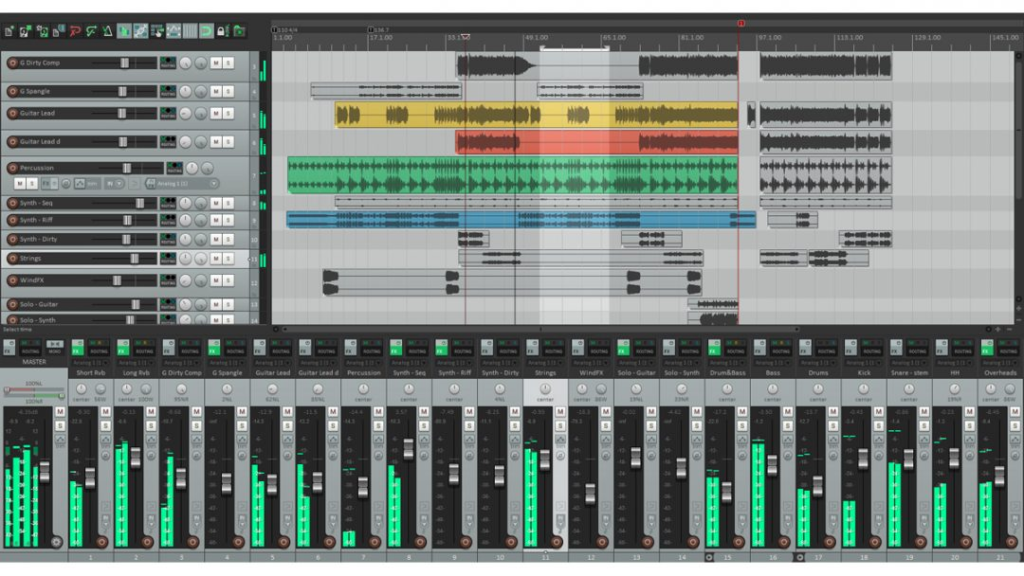
Reaper is famous for its coding efficiency.
- Installer Size: The entire installer is less than 15MB. It can be run from a portable USB drive.
- Resource Usage: It is exceptionally light on CPU and RAM. A user can run hundreds of tracks with plugins on a modest laptop without experiencing buffer underruns.
- Stability: Crashes are rare, and the software opens in seconds.
Pro Tools: The Heavyweight
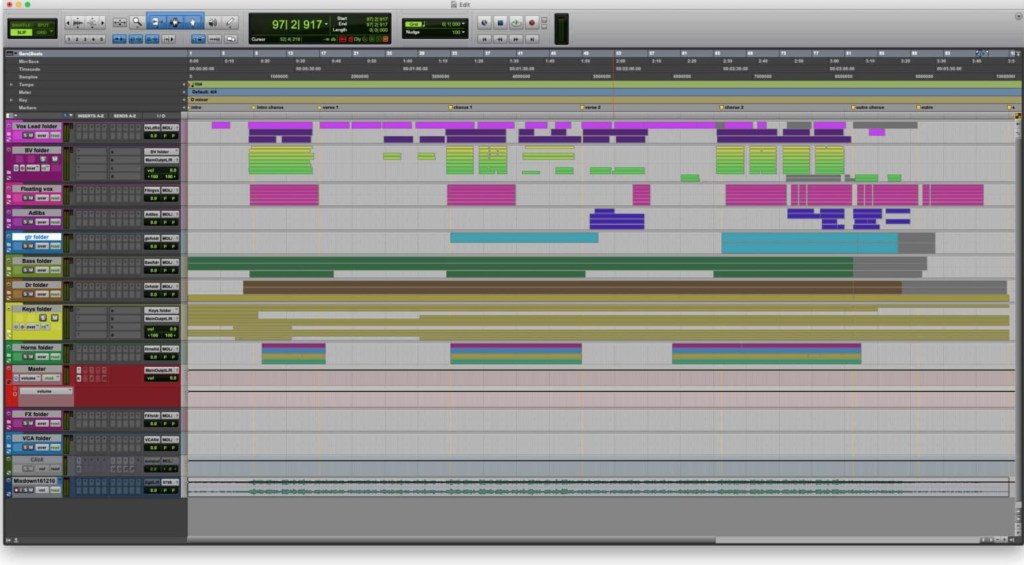
Pro Tools is a larger, more resource-intensive application.
- Legacy Code: Because it carries decades of legacy code to maintain compatibility, it requires more system resources to run smoothly.
- Hardware Dependency: Pro Tools historically runs best when paired with specific, certified hardware interfaces. On general consumer PCs, users in the pro tools vs reaper debate often find Pro Tools less stable.
Workflow & Customization
The workflow comparison is a battle between Standardization and Customization.
Pro Tools: Rigid and Standardized
Pro Tools is designed so that an engineer can walk into any studio in New York, London, or Tokyo and sit at the console knowing exactly where every button is.
- Pros: Consistency. It forces a disciplined workflow that is excellent for large-team collaboration.
- Cons: Lack of flexibility. You cannot easily change key commands or the interface layout.
Reaper: The “Blank Slate”
Reaper is designed to be molded. It supports:
- Themes: Users can download “skins” that make Reaper look exactly like Pro Tools, Logic, or an analog console.
- Actions & Scripts: Users can program complex macros. For example, a single key press could “normalize audio, add a fade, render to mono, and export.”
- Result: In reaper vs pro tools speed tests, a customized Reaper setup is often significantly faster for editing tasks.
Plugin Compatibility (AAX vs. VST)
A critical technical distinction in pro tools vs reaper is the plugin format.
- Pro Tools: Uses AAX (Avid Audio eXtension). This is a proprietary format. While most major plugin manufacturers make AAX versions, many free indie plugins or experimental tools are only available as VST.
- Reaper: Supports almost everything: VST, VST3, AU (Mac), DX, and JSFX.
- JSFX: Reaper includes a built-in scripting language that allows users to write their own audio effects or modify existing ones on the fly.
If a user relies heavily on free, open-source plugins, the easy win goes to Reaper.
The “Industry Standard” Argument
If Reaper is cheaper and faster, why is there still a debate? The answer lies in the ecosystem.
- Commercial Studios: Big studios invest thousands in Avid hardware (HDX cards, control surfaces). Pro Tools is deeply integrated with this hardware to provide near-zero latency recording.
- Post-Production: For film and TV mixing, Pro Tools is the absolute standard. Moving a session from a video editor to a sound mixer requires the standardized file management that Pro Tools excels at.
Game Audio: Game sound designers prefer Reaper because its batch processing and scripting capabilities allow them to export thousands of asset files (e.g., footsteps, gunshots) automatically.
Stuck on a melody?
Don’t let writer’s block slow down your session. Use our free Chord Progression Generator to create emotional harmonies and complex voicings. A perfect starting point for your next track.
Comparison Table: Reaper vs. Pro Tools
| Feature | Reaper | Pro Tools |
| Pricing | $60 / $225 (One-time) | Subscription (Monthly) |
| Plugin Format | VST, VST3, AU, JSFX | AAX Only |
| Scripting | Lua, EEL, Python (Deep) | Limited |
| Video Engine | Lightweight | Professional Standard |
| Learning Curve | High (Requires Setup) | Moderate (Standardized) |
| Installer Size | ~15MB | ~3GB+ |
Conclusion
The verdict depends on your career path.
- Choose Pro Tools if: You aspire to work in major commercial recording studios or high-end film post-production. You need to learn the language that the industry speaks. The subscription cost is an investment in compatibility.
- Choose Reaper if: You are a freelancer, game audio designer, or home studio musician. The value proposition is undeniable here. You get a DAW that is faster, more stable, and infinitely more customizable for a fraction of the price.
Ultimately, both are capable of professional results. Pro Tools offers a structured path; Reaper offers an open field.
Enjoyed this guide? Don’t miss other articles!
Logic Pro vs FL Studio – For those who can’t decide what DAW is best for Mac.
Pro Tools VS Fl Studio – Beatmaking or Engeneering?
FAQ
Yes. One of the biggest advantages in Reaper is theming engine. You can download specific themes (skins) that replicate the colors, faders, and layout of Pro Tools, helping converts feel at home.
Absolutely. While all discussions often highlight Pro Tools’ recording prowess, Reaper is equally capable of multi-track recording. It is arguably more stable on lower-end hardware, reducing the risk of a crash during a take.
Yes. While Pro Tools dominates music mixing, Reaper is the industry standard for Game Audio (at studios like Blizzard and Ubisoft) and is widely used by popular YouTubers and independent sound designers.
No. In any sound test, the summing engines are mathematically identical (null test). The sound quality depends on the source audio and the plugins used, not the DAW itself.
Not directly. PTX files are proprietary to Avid. To move a project in another DAW, you must export the tracks as individual audio stems (WAV files) or use conversion software like AATranslator.