Pro Tools vs FL Studio: The Engineer vs. The Beatmaker (2026 Comparison)
Introduction
When comparing Pro Tools and Fruity Loops (the legacy name for FL Studio), it is essential to understand their origins. Pro Tools, developed by Avid, was designed as a digital replacement for multi-track tape machines. Its primary focus is audio fidelity, editing precision, and mixing. FL Studio, developed by Image-Line, started as a drum sequencer. Its focus is on loop creation, MIDI sequencing, and rapid idea generation.
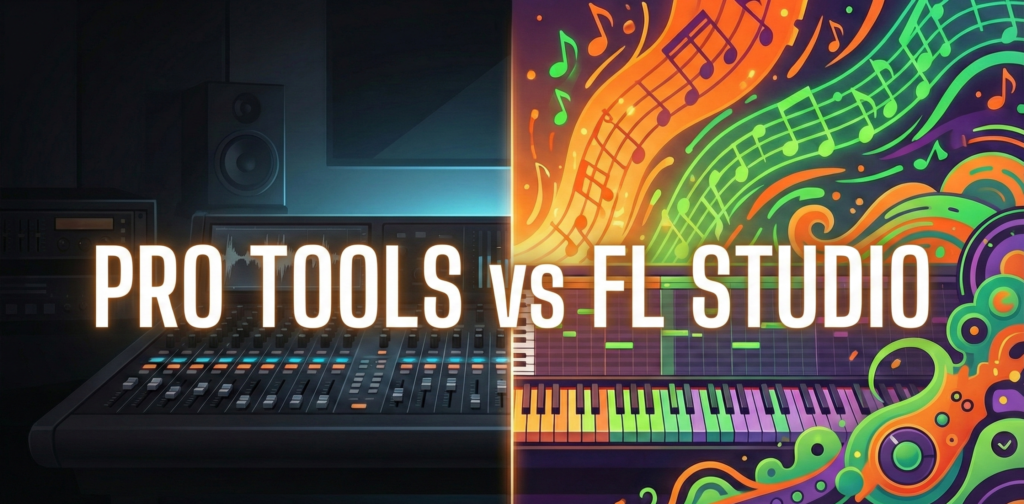
The choice between Pro Tools and FL Studio is often a choice between two different mindsets: the methodical Engineer and the creative Beatmaker.
Philosophy: Linear Audio vs. Pattern Sequencing
The core distinction in the Fruity Loops vs Pro Tools debate lies in how the software visualizes time.
Pro Tools: The Linear Timeline
Pro Tools is built around a linear timeline, mimicking an analog console and tape recorder.
- Audio-Centric: Tracks run from left to right. What you see on the waveform is exactly what you hear.
- Static Routing: The mixer is rigid and structured, allowing for complex but stable signal routing essential for large recording sessions.
FL Studio: The Pattern Sequencer
FL Studio utilizes a non-linear, modular approach.
- Pattern-Centric: Users create independent loops (drums, bass, melodies) in the “Channel Rack” and then paint them onto the “Playlist” to arrange the song.
- Fluid Workflow: This allows for rapid experimentation. A user can rearrange the entire structure of a song in seconds, which is why the comparison often favors FL for composition.
Where FL Studio Wins (Creation Phase)
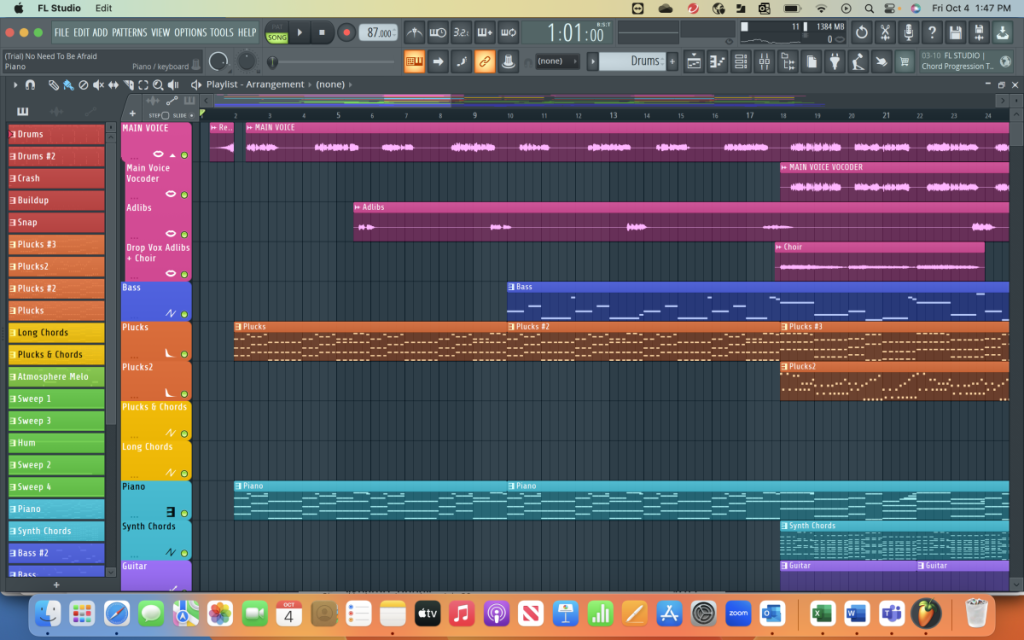
For producers focused on writing music—particularly Hip-Hop, EDM, and Trap FL Studio offers superior tools for the creation phase.
The Piano Roll & Step Sequencer
FL Studio’s Step Sequencer is legendary for its speed. Users can program a drum pattern in seconds without touching a MIDI keyboard. Furthermore, its Piano Roll is widely considered the most advanced in the industry, offering tools like:
- Riff Machine: Auto-generates melodies.
- Scale Highlighting: Prevents users from playing out of key.
- Slide Notes: Native support for gliding 808s and synth leads.
MIDI Workflow & VST Support
In this debate, FL Studio handles Virtual Instruments (VSTs) with greater flexibility. It scans plugins faster and allows for complex MIDI routing between plugins (e.g., using a MIDI LFO to control a synth filter) much more easily than Pro Tools.
Where Pro Tools Wins (Post-Production Phase)
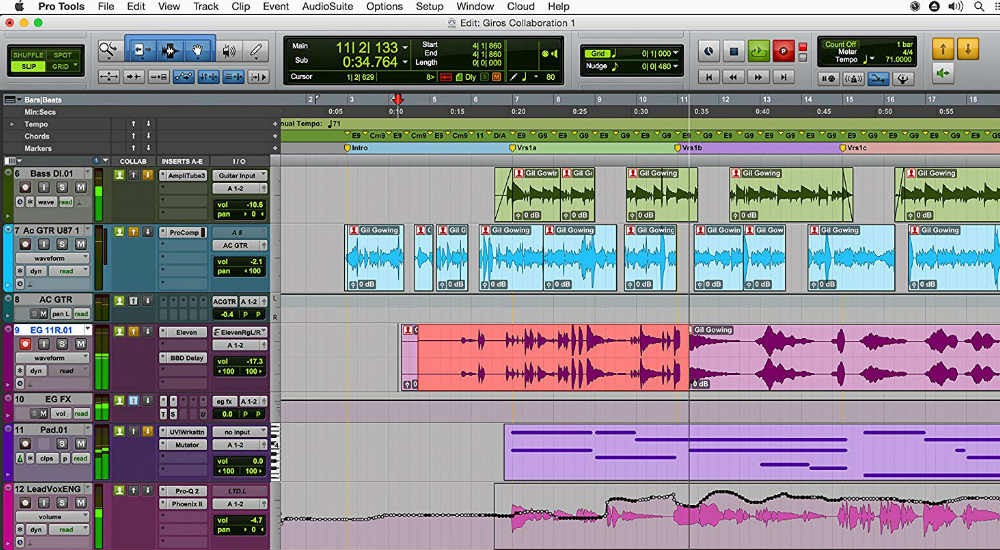
While FL Studio dominates creation, Pro Tools dominates the finish line. In this discussion, Avid’s software is the king of recording, editing, and mixing.
Audio Editing & Comping
Pro Tools treats audio editing with surgical precision.
- Playlist Comping: Users can record multiple takes of a vocal and effortlessly select the best phrases from each take to create a perfect “comp.”
- Elastic Audio: Time-stretching and pitch-shifting algorithms are seamlessly integrated into the timeline, allowing for transparent correction of drum timing or vocal pitch.
Mixing & Routing Architecture
The mixer in Pro Tools mimics a large-format analog console. For engineers mixing 100+ tracks, the visual feedback and grouping capabilities of Pro Tools are superior. This is why major studios use Pro Tools for the final mixdown; the “Mix Window” provides an instant overview of every fader, pan pot, and insert across the entire session.
Stuck on a melody?
Don’t let writer’s block slow down your session. Use our free Chord Progression Generator to create emotional harmonies and complex voicings. A perfect starting point for your next track.
Pricing Models: Subscription vs. Lifetime License
A major deciding factor between these two DAWs is the cost of ownership.
- FL Studio: Operates on a Lifetime Free Updates model. You pay once (ranging from ~$99 to ~$499) and own the software forever, receiving every future update for free.
- Pro Tools: Operates primarily on a Subscription model. Users pay a monthly or annual fee to keep the license active. While a perpetual license exists, it is expensive and requires an annual “Upgrade Plan” fee to receive updates.
For hobbyists, the math heavily favors FL Studio. For professionals billing clients, the Pro Tools subscription is a standard business expense.
Comparison Table: Pro Tools vs. FL Studio
| Feature | Pro Tools | FL Studio |
| Primary Strength | Recording, Mixing, Editing | Composition, Beatmaking, MIDI |
| Workflow | Linear / Track-based | Pattern / Loop-based |
| Pricing | Subscription (Monthly/Annual) | One-time Payment (Lifetime Updates) |
| Plugin Format | AAX (Proprietary) | VST, VST3, AU |
| Operating System | macOS & Windows | macOS & Windows |
| Learning Curve | Steep (Technical) | Moderate (Creative) |
The Hybrid Workflow (Using Both)
Many professional producers refuse to choose a side in the Pro Tools vs FL Studio war. Instead, they use both.
- Compose in FL Studio: The producer creates the beat, arranges the loops, and designs the sound in FL Studio to take advantage of the fast creative workflow.
- Export Stems: The project is exported as individual audio files (Kick.wav, Snare.wav, Melody.wav).
- Mix in Pro Tools: The audio files are imported into Pro Tools for vocal recording, detailed editing, and final mixing.
This hybrid approach leverages the strengths of both platforms, bypassing the limitations by treating them as specialized tools for different stages of production.
Enjoyed this guide? Don’t miss other articles!
Logic Pro vs FL Studio – For those who can’t decide what DAW is best for Mac.
Mixing Cheat Sheet – A complete guide to mixing basics.
Conclusion
Ultimately, the final decision depends on your goals.
- Choose FL Studio if you are a creator. If your main goal is to write songs, program drums, and experiment with melodies, FL Studio’s pattern-based workflow will remove barriers between your brain and the speakers.
- Choose Pro Tools if you are an engineer. If you plan to work in commercial studios, record live bands, or mix film audio, Pro Tools is the industry language you must speak.
There is no “better” DAW; there is only the right tool for the job. The beatmaker builds the house in FL Studio; the engineer paints and furnishes it in Pro Tools.
FAQ
Yes. Pro Tools has a steeper learning curve because it enforces strict signal flow rules similar to analog equipment. FL Studio is generally more intuitive for beginners, though its deep menus can be complex.
Yes, Pro Tools has MIDI capabilities, but they are generally considered slower and clunkier compared to the fluid piano roll in FL Studio. In the pro tools vs fl studio beatmaking comparison, FL Studio is the clear winner for speed.
Standardization. Pro Tools sessions can be opened in almost any major studio in the world without compatibility issues. This ecosystem is why pro tools vs fruity loops is rarely a debate in high-end facilities.
No. The audio engine (summing) of both DAWs is mathematically identical. Any difference in sound quality comes from the stock plugins and the skill of the user, not the software itself.
No. Pro Tools uses the AAX format, which is exclusive to Avid. FL Studio uses VST plugins. You cannot run AAX plugins in FL Studio.