MP3 vs MP4: The Real Difference (It’s Not Just Audio vs Video)
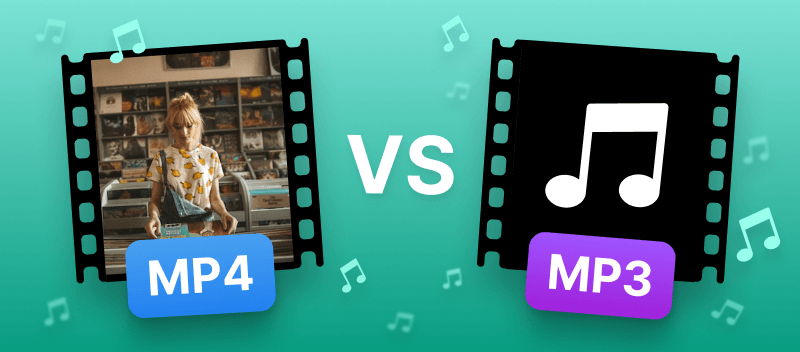
When exporting a project from a DAW (Digital Audio Workstation) or video editor, creators are often faced with a confusing array of file extensions. The debate of mp3 vs mp4 is one of the most common sources of confusion for beginners. While the general assumption is that “MP3 is for music” and “MP4 is for video,” the technical reality is more nuanced. Understanding the difference between mp3 and mp4 is critical for ensuring high-quality playback on streaming services and devices.
This guide breaks down the technical architecture of both formats, explains what mp3 stands for, and provides a clear strategy for when to use each file type in a modern production workflow.
Introduction
To understand the difference between mp3 and mp4 format, one must distinguish between a codec and a container.
- The Direct Answer: MP3 is an audio coding format (a specific way to compress sound). MP4 is a digital multimedia container (a box that can hold audio, video, subtitles, and images). While MP3 can only store audio, MP4 can store audio, video, or both.
For a music producer, the choice of mp3 vs mp4 affects metadata, file size, and potential audio quality.
What is MP3? (MPEG-1 Audio Layer III)
What mp3 stands for is “MPEG-1 Audio Layer III.” Released publicly in 1993, it became the standard for digital audio due to its revolutionary compression technology.
How MP3 Compression Works
MP3 uses “perceptual coding” (lossy compression). It analyzes the audio and removes data that the human ear is unlikely to hear.
- Frequency Masking: If a loud sound and a quiet sound occur simultaneously, the MP3 algorithm removes the quiet sound to save space.
- High-Frequency Cut: MP3 often aggressively cuts frequencies above 16kHz or 18kHz, which is why audiophiles often dislike the format.
Key Characteristics
- Type: Audio-only codec.
- Compatibility: Universal. Is mp3 video or audio? It is strictly audio. It plays on virtually every digital device manufactured in the last 30 years.
- Metadata: Uses ID3 tags (Artist, Title, Album Art), which are widely supported by all music players.
What is MP4? (MPEG-4 Part 14)
What is mp4? It stands for “MPEG-4 Part 14.” Unlike MP3, MP4 is not a method of compressing sound; it is a container format based on Apple’s QuickTime MOV format.
The Container Concept
Think of MP4 as a digital envelope. Inside this envelope, you can place various data streams:
- Video Stream: Usually compressed with H.264 or H.265.
- Audio Stream: Usually compressed with AAC (Advanced Audio Coding) or ALAC.
- Metadata: Subtitles, chapter markers, and images.
Because MP4 can hold different types of data, the mp3 and mp4 difference is fundamentally about flexibility. MP4 is designed to handle multimedia synchronization, making it the standard for web video (YouTube, TikTok).
The Main Differences (Comparison Table)
To quickly visualize what’s the difference between mp3 and mp4, refer to the table below. This technical breakdown highlights why one might choose mp4 vs mp3 for specific tasks.
| Feature | MP3 (MPEG-1 Layer III) | MP4 (MPEG-4 Part 14) |
| Primary Function | Storing compressed audio. | Storing Video + Audio + Text. |
| Data Type | Audio Only. | Multimedia Container. |
| Compression | Lossy (Perceptual Coding). | Container (Holds AAC, ALAC, H.264). |
| Audio Quality (Bitrate) | Good at 320kbps. Artifacts visible at lower rates. | Excellent (AAC is more efficient than MP3). |
| Device Support | 100% Universal. | High (99%), but some pure audio players may fail. |
| Extension | .mp3 | .mp4, .m4a, .m4v |
When asking what is the difference between mp3 and mp4 regarding file size, MP4 files containing video are naturally much larger. However, an MP4 file containing only audio (AAC) is often smaller than an MP3 of the same quality.
Which Format Should You Use? (Scenarios)
Choosing between mp3 versus mp4 depends entirely on the destination of your file. Here are the standard industry use cases.
Scenario 1: Sending Beats to Artists (Leasing)
Use MP3 (320kbps).
When you send a beat for a quick listen or lease, MP3 is the industry standard.
- Why: Every phone and computer can open it instantly without third-party software. The metadata (ID3 tags) ensures the artist sees your producer name and website link in their player.
Scenario 2: Uploading to YouTube / Instagram
Use MP4.
You cannot upload an MP3 directly to YouTube or Instagram. Even if your content is just a song, it must be wrapped in a video container.
- Why: These platforms require a video stream (even if it’s a static image of your album art) to process the file. This is the primary difference between mp3 and mp4 format for content creators—one is accepted by video platforms, the other is not.
Scenario 3: High-Quality Audio Streaming (Apple Music)
Use MP4 (AAC).
While users often upload WAV files to distributors, the final stream on platforms like Apple Music is often AAC (inside an MP4 container).
- Why: AAC is the successor to MP3. At 256kbps, AAC sounds better than MP3 at 320kbps because it handles high frequencies and transients more accurately.
Can MP4 be Audio Only? (.M4A)
A common point of confusion when discussing mp3 and mp4 difference is the .m4a file extension.
- What is it? An .m4a file is simply an MP4 container that holds only audio data.
- Why rename it? Apple popularized the .m4a extension to distinguish music files from video files (.mp4), even though the internal structure is nearly identical.
If you are asking what’s the difference between mp4 and mp3 in terms of pure audio quality, an M4A file (using AAC) is technically superior to an MP3. However, MP3 remains more popular due to legacy support.
Conclusion
The debate of mp3 vs mp4 format is not about which is “better,” but which is the right tool for the job.
- MP3 is the champion of compatibility. It is the go-to format for sharing audio demos, podcasts, and beats where universal playback is the priority.
- MP4 is the standard for multimedia. It is essential for video content, social media, and modern streaming where efficiency and synchronization are key.
Understanding what is difference between mp4 and mp3 allows producers to export their work correctly. For pure audio distribution, stick to MP3 (or WAV for masters). for anything involving visuals or modern Apple ecosystems, MP4 is the superior choice.
FAQ
Is MP4 better sound quality than MP3?
Generally, yes. The mp4 vs mp3 quality debate usually favors MP4 because it typically uses the AAC codec. AAC is more efficient and preserves more detail at the same bitrate than the older MP3 technology.
Can I change mp4 to mp3 by renaming the file?
No. The difference between an mp3 and mp4 is in the internal coding. Renaming .mp4 to .mp3 will likely corrupt the file or make it unplayable. You must use converter software.
What is mp3 and mp4 used for mostly?
MP3 is used for music libraries and portable players. MP4 is used for streaming video (Netflix, YouTube) and capturing video on smartphones.
What’s the difference between an mp3 and mp4 regarding file size?
If comparing audio-only files, an MP4 (AAC) is often smaller than an MP3 of comparable quality. However, a standard MP4 with video will always be much larger than an MP3.
Are there other types of audio file format besides MP3?
Yes. Common types of audio file format include WAV and AIFF (uncompressed/lossless), FLAC (compressed lossless), and OGG Vorbis (used by Spotify).