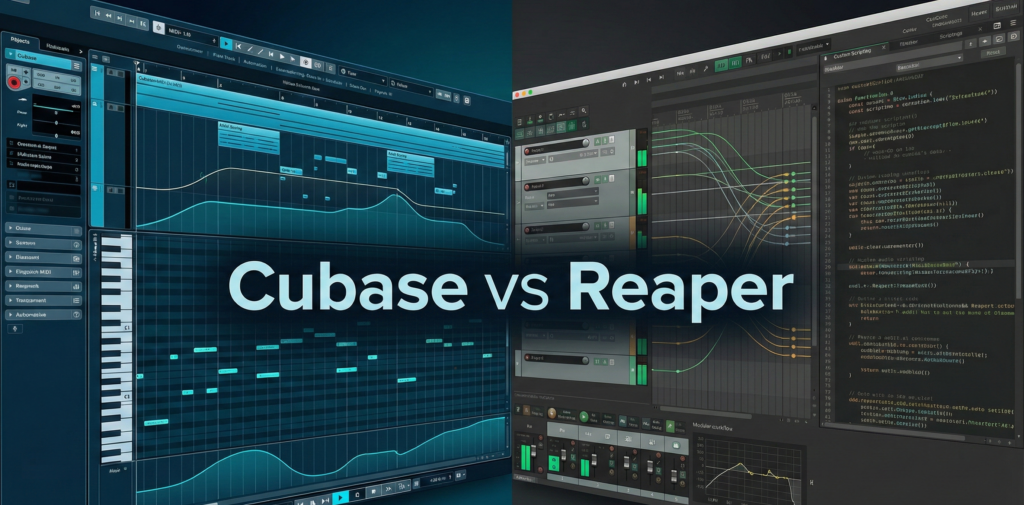
Cubase vs Reaper (2026): Composers vs. Engineers
Introduction
If you are familiar with music production, two names often stand at opposite ends of the spectrum. Steinberg Cubase is the venerable titan, a comprehensive environment that has powered film scores from Hans Zimmer to Junkie XL. Cockos Reaper is the agile challenger, a lightweight, highly customizable powerhouse that has cultivated a fanatical following among game audio designers and mixing engineers.
The choice between two powerful DAWs is not just about features; it is a choice between two distinct philosophies. Do you pay a premium for a “complete” studio experience, or do you choose a lean, efficient engine that you build yourself? This guide analyzes the technical differences, workflow architectures, and value propositions of both platforms to help you decide.
The Core Conflict
The fundamental difference lies in the “Out of the Box” experience.
- Cubase is a “Maximalist” DAW. It assumes the user wants every possible tool pre-installed. It includes gigabytes of instruments, a score editor, and advanced MIDI processors. It is designed to guide the user through a structured, professional workflow.
- Reaper is a “Minimalist” DAW. It assumes the user wants to define their own workflow. It installs in seconds and includes very few virtual instruments. It is designed to be molded, scripted, and skinned to fit specific engineering tasks.
Pricing & Licensing (The Elephant in the Room)
The most immediate distinction when comparing cubase vs reaper is the financial barrier to entry.
- Cubase Pro: Priced at approximately $579. Steinberg also charges for major updates (e.g., v13 to v14), which occur roughly every 12-18 months.
- Reaper: utilizes a fair pricing model.
- Discounted License: $60. This applies to individuals and small businesses earning less than $20,000 USD/year.
- Commercial License: $225. For full-scale professional use.
- The License: A single license covers two full major version upgrades (e.g., v7.0 to v8.99), often lasting 4-5 years.
Note on Dongles: Historically, Cubase required a physical USB eLicenser key. As of 2026, Steinberg has moved to a software-based “Steinberg Licensing” system, removing the need for the dongle. However, activation remains simpler in Reaper—a simple text keyfile with no background services.
Workflow Philosophy
Cubase: The Logical Structure
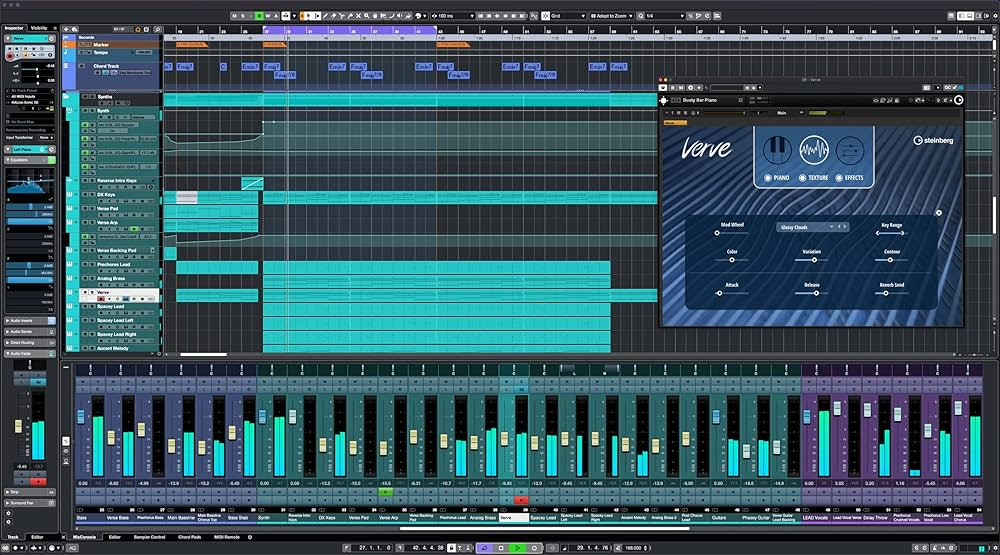
Cubase follows a traditional console metaphor. Windows are often fixed or docked in specific zones (the Lower Zone, the Right Zone).
- Control Room: A unique feature in Cubase is the Control Room. It allows users to set up monitor mixes, talkback channels for recording vocalists, and speaker switching configurations completely separate from the main mix bus. To achieve this in Reaper requires complex custom routing.
- Stability: The rigid structure ensures stability when working with massive templates.
Reaper: The “Do It Yourself” Canvas
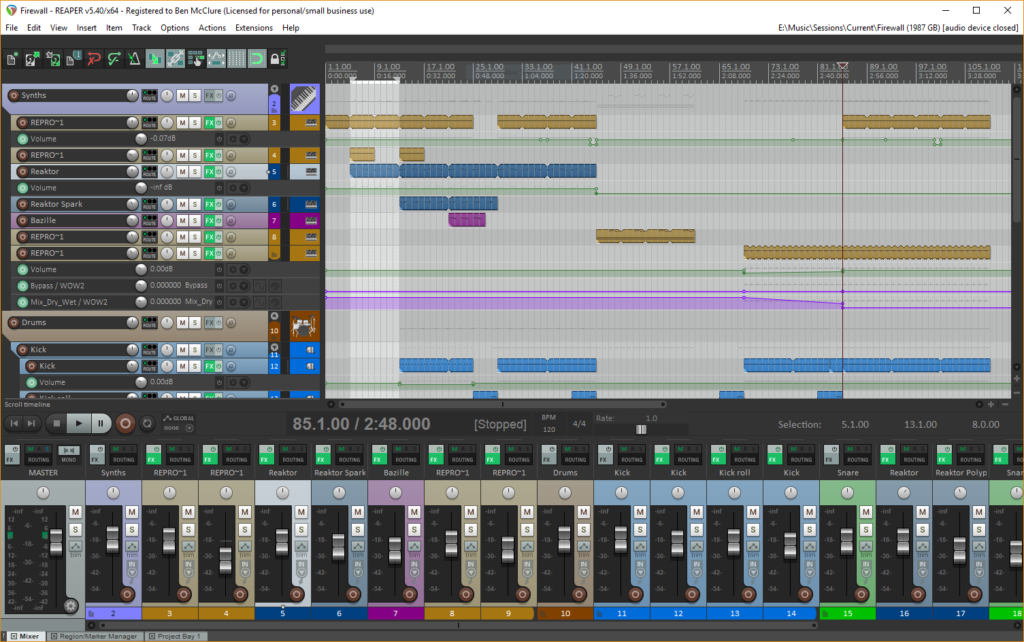
Reaper’s interface is agnostic. Tracks are not defined as “Audio,” “MIDI,” or “Aux.” A track is simply a container that can hold anything.
- Customization: Users can rewrite the menus, change the mouse modifiers, and create custom toolbars.
- Routing Matrix: Reaper features a visual patchbay that allows drag-and-drop routing of any signal to any destination.
MIDI & Composing Tools (Where Cubase Wins)
For composers writing orchestral music or complex film scores is often a one-sided battle. Cubase is the industry standard for a reason.
- Expression Maps: This is the killer feature for Cubase both for Mac and Windows users. It allows composers to map instrument articulations (e.g., Legato, Staccato, Pizzicato) to specific keys or MIDI messages. The DAW displays these changes visually on the piano roll. While Reaper can do this via community scripts (like Reaticulate), it is native to Cubase.
- Chord Track: Cubase can analyze audio or MIDI and generate a “Chord Track” that controls the harmony of the entire project. It can even harmonize a lead vocal automatically.
- Score Editor: Cubase includes a professional-grade sheet music editor (derived from Dorico), essential for printing parts for live musicians.
Mixing & Audio Editing (Where Reaper Wins)
Sound designers, editors, and mixing engineers often favor the efficiency of Reaper.
- Custom Actions: In Reaper, you can chain commands together.
- Example: A single key press can trigger: Split item at cursor -> Fade out left item -> Fade in right item -> Normalize.
- This speeds up editing dialogue or drums significantly compared to Cubase’s macros.
- CPU Efficiency: Reaper is famous for its optimized code. It can run hundreds of plugins on older hardware where Cubase might struggle with buffer underruns.
- Spectral Editing: Reaper allows users to edit the frequency spectrum of audio clips directly on the timeline (Spectral Peaks) without opening a separate editor like SpectraLayers in Cubase.
Included Content (Stock Plugins)
The content is the main pillar of the battle between two composing giants.
- Cubase: Comes with over 70GB of content.
- Instruments: Retrologue (Analog Synth), Padshop (Granular Synth), Groove Agent (Drums).
- Effects: A full suite of high-end mixing plugins, including Frequency 2 (Dynamic EQ) and Squasher (Multiband Compressor).
- Reaper: Comes with almost no content (~15MB installer).
- Plugins: Includes the ReaPlugs suite (ReaComp, ReaEQ, ReaXcomp). These are sonically transparent and powerful but feature a bare-bones, utilitarian interface that lacks the visual feedback of modern plugins.
Comparison Table: Cubase Pro vs. Reaper
| Feature | Cubase Pro | Reaper |
| Pricing | ~$579 (Updates Paid) | $60 / $225 (Updates Free) |
| Primary User | Composer / Producer | Engineer / Sound Designer |
| Orchestral Tools | Excellent (Expression Maps) | Good (Requires Scripts) |
| Audio Editing | Good (Standard Tools) | Superior (Custom Actions) |
| Stock Content | Massive (70GB+) | Minimal (<100MB) |
| Monitoring | Control Room (Native) | Manual Routing |
| Copy Protection | Steinberg Licensing (Online) | Keyfile (Offline) |
Enjoyed this guide? Don’t miss other articles!
Reaper vs Pro Tools – For those who can’t decide what works best for engineering.
Pro Tools VS Fl Studio – Beatmaker flow or Professional standard?
The Verdict: Who is Each DAW For?
The decision between Cubase and Reaper depends entirely on your role in the production process.
Choose Cubase if:
- You are a Composer. If you write for film, TV, or games and need to manage hundreds of orchestral tracks, the Expression Maps and logical structure of Cubase are indispensable.
- You want a Complete Package. If you want to install one program and have everything you need to write a song—synths, drums, and mixing tools—Cubase is the better investment.
- You are running Cubase on Mac and want a Logic Pro alternative that is cross-platform.
Choose Reaper if:
- You are an Engineer. If your job involves editing thousands of dialogue lines, mixing multitracks, or designing sound effects for games, Reaper’s scripting and batch processing will save you hours of work.
- You are on a Budget. The $60 license is the best value in the pro audio world.
- You have an Older Computer. Reaper’s efficiency allows you to work on projects that would choke other DAWs.
Ultimately, this is a choice between a luxury sedan with every feature built-in (Cubase) and a race car that you tune yourself (Reaper). Both will get you to the finish line, but the driving experience is vastly different.
FAQ
No. Proprietary project files (.cpr) cannot be opened in other DAWs. To migrate from Cubase to Reaper, you must export your tracks as audio stems or use XML transfer (which has limited success).
Yes, initially. Because it is a “blank slate,” beginners often feel lost without the visual guides and presets found in Cubase. However, once configured, it becomes faster than any other DAW.
Yes. Modern CUbase on macOS is fully optimized for Apple Silicon chips and performs comparably to Logic Pro.
Neither. The audio summing engine in both is mathematically identical. Sound quality is determined by the source material and the plugins used, not the DAW itself.