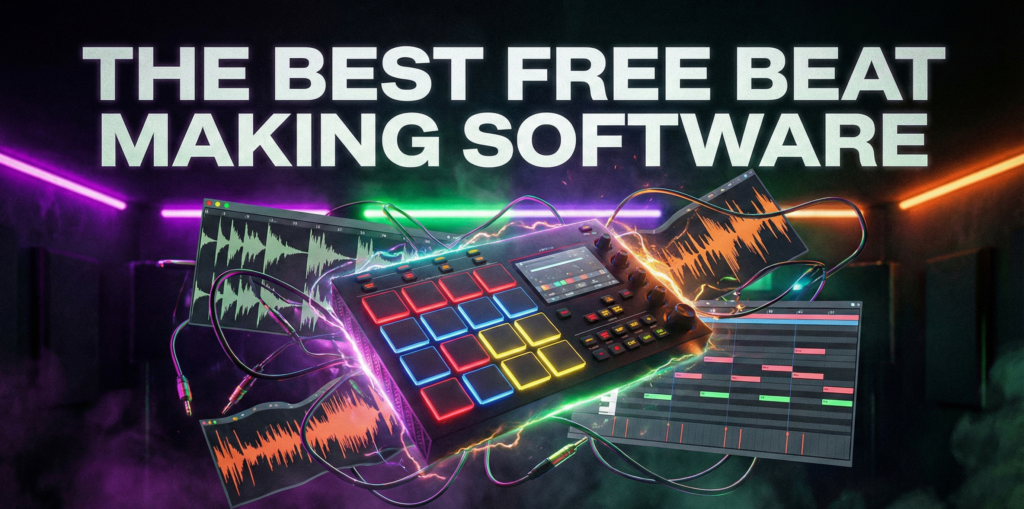
The Best Free Beat Making Software in 2026 (For Mac & PC)
Disclaimer: Point Prime Recordings is not affiliated with the developers mentioned in this article. We do not receive any commissions, financial incentives, or affiliate revenue from the download links provided below. This guide is created solely for educational purposes to help independent producers find high-quality free tools.
Introduction
The barrier to entry for music production has never been lower. In the past, creating professional-quality music required expensive hardware and software licenses costing hundreds of dollars. In 2026, high-quality free beat making software is readily available, offering tools that rival industry-standard applications.
For beginners asking how to make beats for free, the challenge is no longer finding software, but choosing the right one. This guide analyzes the best free beat making software on the market, evaluating their feature sets, plugin compatibility, and operating system support to help you start your production journey.
Why you should start with a free daw?
A Digital Audio Workstation (DAW) is the canvas upon which modern music is painted. While premium options like Ableton Live and FL Studio dominate the professional sector, many programs for making beats are free of charge and offer surprisingly robust capabilities.
It really doesn’t matter if you are a Windows user or a Mac user who tries to make his way in music, there is a free beat production software tailored to your needs. This article filters out the “Lite” versions and 30-day trials to focus on genuinely free, fully functional tools.
What to Look for in Free DAW
Before downloading free computer beat making programs, it is essential to understand the technical limitations often imposed on non-paid users.
- VST/AU Plugin Support: This is critical. To expand your sound palette, the software must support third-party Virtual Studio Technology (.vst or .vst3). Some free beat producing software locks this feature behind a paywall.
- Track Limits: Some “free” versions limit you to 8 or 16 tracks. A professional beat making software should offer unlimited tracks.
- Operating System: Unlike paid software which is usually cross-platform, some of the software options are exclusive to either Windows or macOS.
Top Pick #1: Cakewalk by BandLab
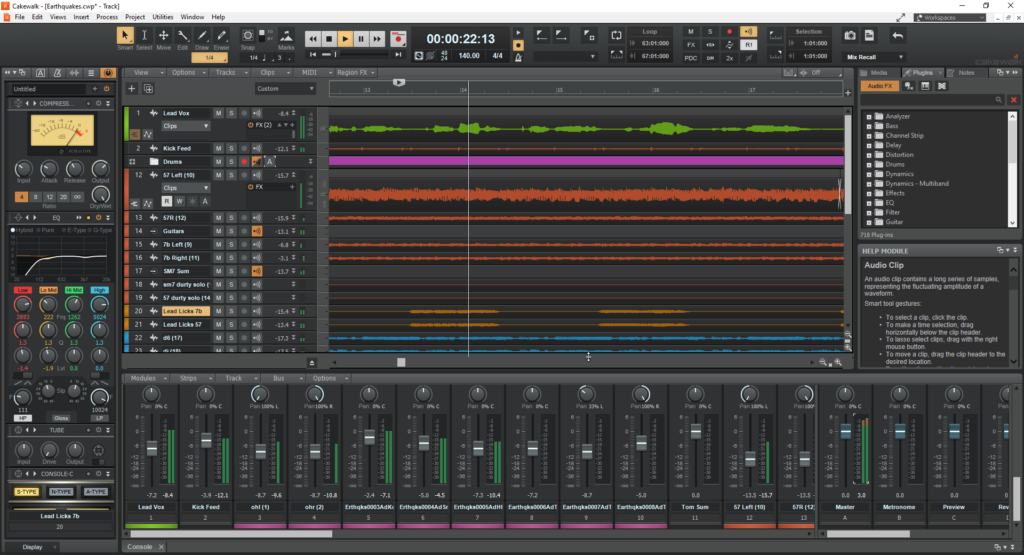
For Windows users, Cakewalk is arguably the most powerful beat making software free of charge available today. Originally known as SONAR, a premium DAW costing over $500, it was acquired by BandLab and released for free.
The “Pro” Experience
Cakewalk is not a stripped-down “Lite” version; it is the full program to create beats for free and without any limitations.
- Unlimited Tracks: There are no caps on audio, MIDI, or instrument tracks.
- ProChannel: Every mixer channel includes a built-in analog console emulation with EQ, compression, and tube saturation.
- VST Support: Full support for VST3 and VST2 plugins.
Pros and Cons
- Pros: It is a complete professional studio. It includes advanced features like vocal comping and video support.
- Cons: Windows only. The interface can be overwhelming for absolute beginners due to its depth.
Top Pick #2: MPC Beats
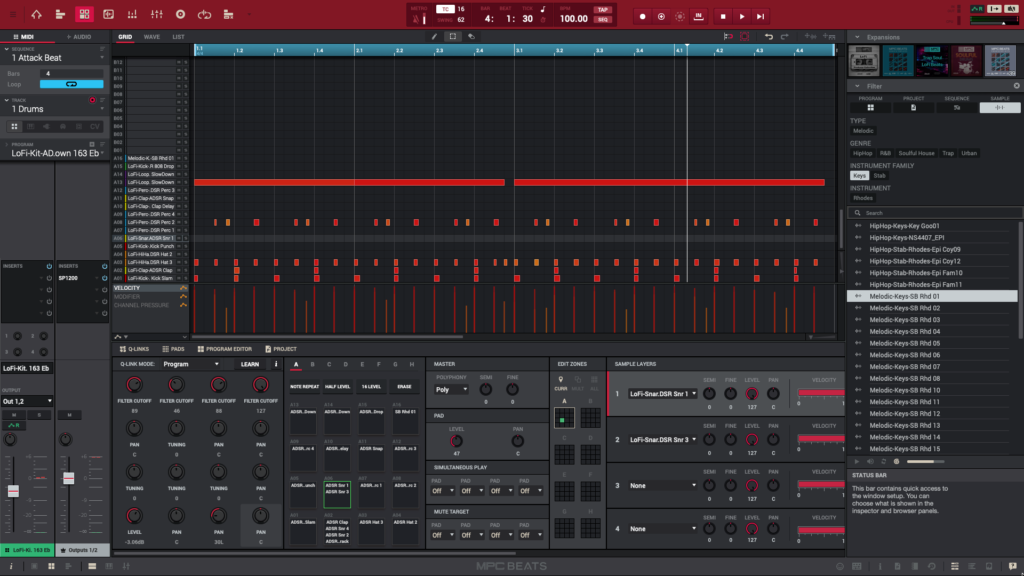
For producers focused on Hip-Hop and sampling, MPC Beats is the best free beat maker software that mimics the legendary Akai workflow.
The Sampler King
Unlike traditional DAWs that use a linear timeline, MPC Beats focuses on a pad-based workflow. It is designed for chopping samples, programming drum loops, and creating groove-heavy music.
- The Workflow: Users load samples onto a 4×4 grid of pads.
- Included Content: It comes with 2GB of samples, loops, and built-in instrument plugins.
- Compatibility: It runs on both Windows and Mac.
Pros and Cons
- Pros: Incredible for fast drum programming and sample manipulation. Authentic MPC swing.
- Cons: The “Sequence” workflow is distinct and can be confusing for those used to linear recording. It is limited to 2 audio tracks and 8 MIDI tracks per project.
Top Pick #3: Waveform Free
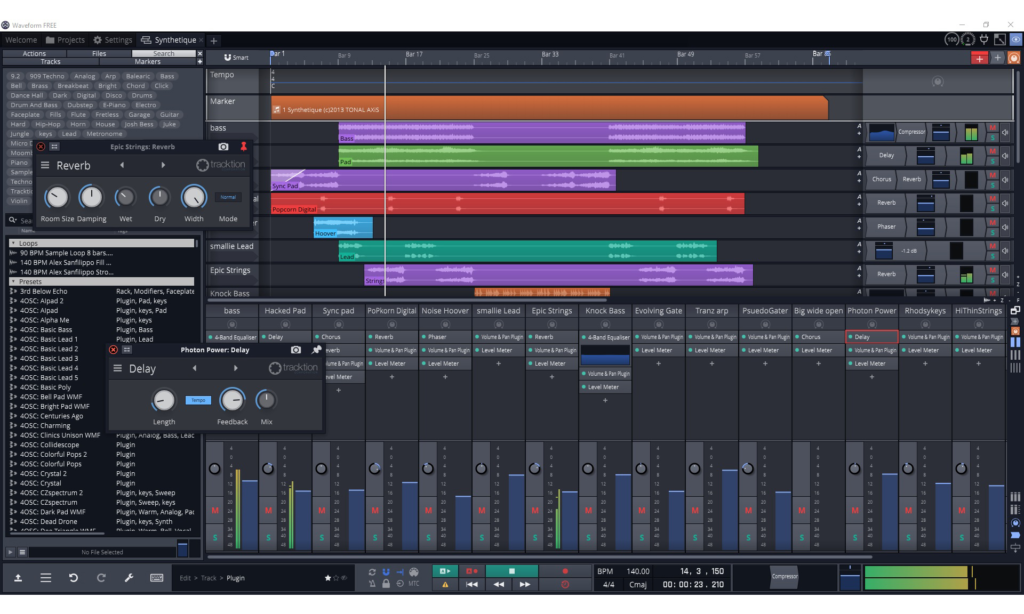
Tracktion’s Waveform Free is a modern, cross-platform beatmaking program for all major operating systems. It is an excellent middle ground between the complexity of Cakewalk and the limitations of MPC Beats.
The Modern Sandbox
Waveform Free features a “sandbox” plugin capability, meaning if a plugin crashes, it won’t crash the entire session. It is one of the few programs for making beats free that runs natively on Linux (Ubuntu).
- Interface: The single-window workflow is intuitive, with drag-and-drop functionality for effects and instruments.
- MIDI Tools: Includes powerful MIDI generators (Pattern Generator) to help write chords and basslines.
Pros and Cons
- Pros: Runs on Mac, PC, and Linux. Modern, resizeable interface. No track limits.
- Cons: The interface is unconventional compared to standard mixers. Some advanced features are locked behind the “Pro” upgrade.
Top Pick #4: GarageBand
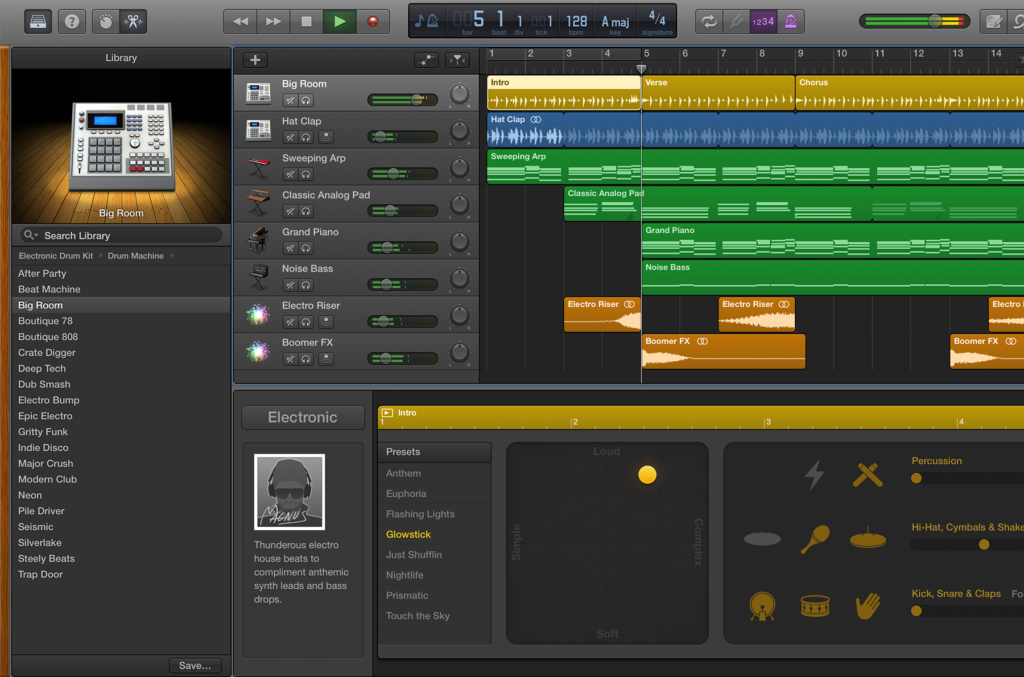
For macOS users, GarageBand remains the gold standard for free music beat making software. It comes pre-installed on every Mac.
The Apple Ecosystem
GarageBand is essentially a streamlined version of Logic Pro.
- Drummer: Includes an AI session drummer that automatically plays along with your song.
- Touch Instruments: Users can control software instruments using the “Musical Typing” keyboard.
- Upgrade Path: Projects created in GarageBand can be opened directly in Logic Pro for professional mixing later.
Pros and Cons
- Pros: Incredible ease of use. Massive library of high-quality loops.
- Cons: Mac only. No mixing console view (faders are horizontal). Limited routing capabilities.
Honorable Mentions
If the top beat making programs listed above do not fit your workflow, consider these alternatives.
- LMMS (Linux MultiMedia Studio): An open-source free alternative to FL Studio. It uses a similar step-sequencer workflow but lacks audio recording capabilities.
- Serato Studio Free: A DJ-focused beat creator software free designed for making edits and mashups quickly. It is perfect for DJs transitioning into production.
Stuck on a melody?
Don’t let writer’s block slow down your session. Use our free Chord Progression Generator to create emotional harmonies and complex voicings. A perfect starting point for your next track.
Conclusion
In 2026, the question is not if you can find free beat producing software, but which one suits your style.
- Choose Cakewalk if you are on Windows and want a traditional, unlimited studio experience.
- Choose MPC Beats if you want to make sample-based Hip-Hop.
- Choose Waveform Free if you need a cross-platform tool with modern features.
- Choose GarageBand if you are a Mac user starting your journey.
All you need to do is stop searching for free apps/programs to make beats, just start creating, learn and have fun! Download one of these tools today and write your first track.
FAQ
Yes. All the software listed in this guide (Cakewalk, Waveform Free, MPC Beats) is completely free. They are not “trials” that expire. They are fully functional free beat maker software tools.
GarageBand is widely considered the easiest entry point for Mac users. For Windows, MPC Beats offers a fun, hands-on approach to how to make beats for free without getting bogged down in technical mixing details.
Yes. The beat making software itself does not claim ownership of your music. However, you must ensure that any samples or loops you use are royalty-free.
Cakewalk and Waveform Free support VST plugins natively. MPC Beats supports VST plugins as well. GarageBand supports AU (Audio Unit) plugins but not VST.
Most desktop DAWs do not run on ChromeOS. For Chromebooks, browser-based free music beat making software like BandLab (the cloud version) or Soundtrap are the best options.